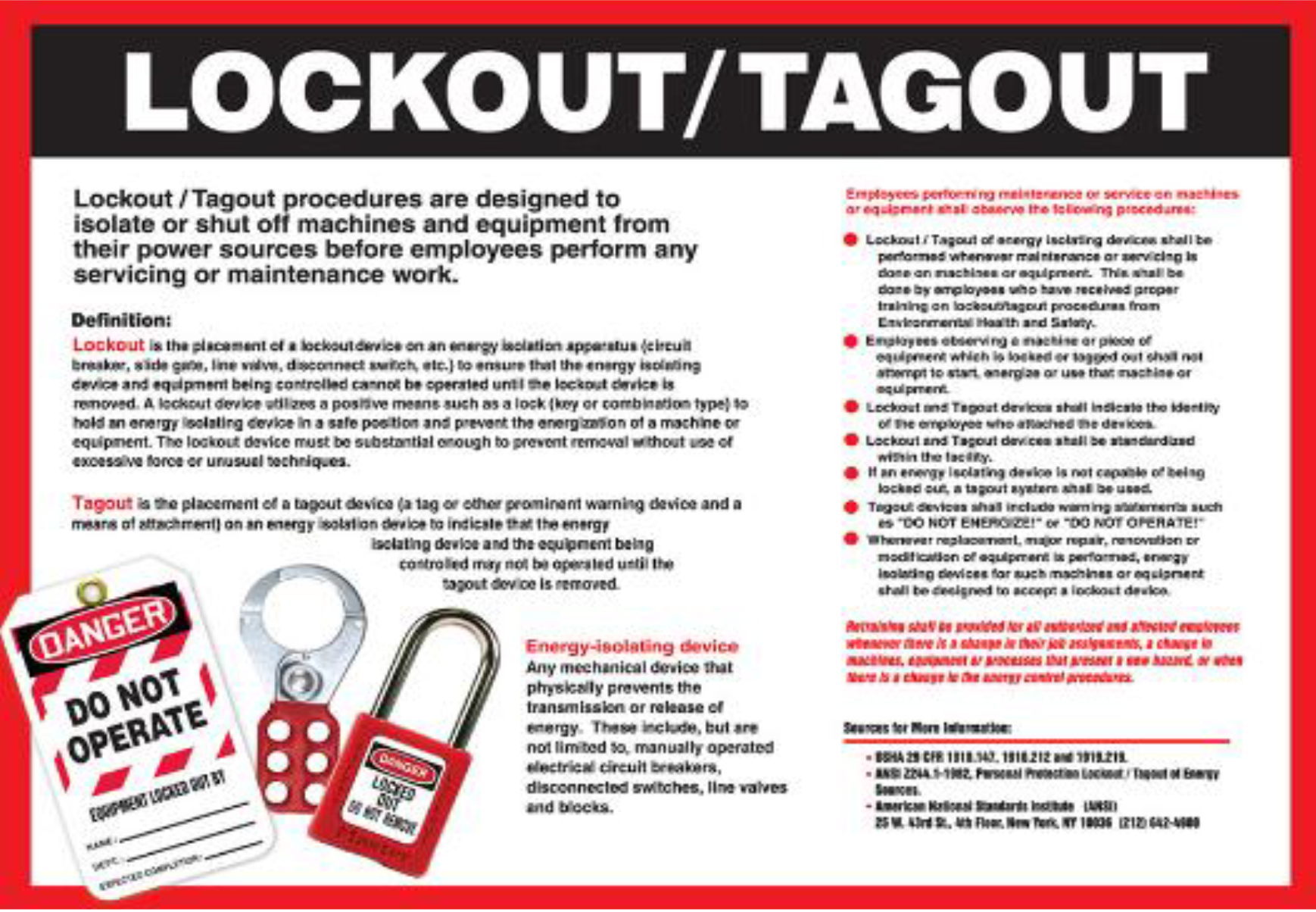
Machines don’t shut down safely just because someone turns them off. Hidden energy—electrical, hydraulic, pneumatic, thermal—lurks in industrial systems, waiting to injure. When multiple workers service equipment, a single-person lockout isn’t enough. That’s where the group lockout tagout form becomes essential. It’s not just paperwork; it’s a structured protocol ensuring every technician is protected, every energy source is verified, and no one restarts machinery prematurely.
Without a standardized group LOTO form, coordination breaks down. Miscommunication grows. The risk of injury skyrockets.
Why Standard Forms Are Non-Negotiable
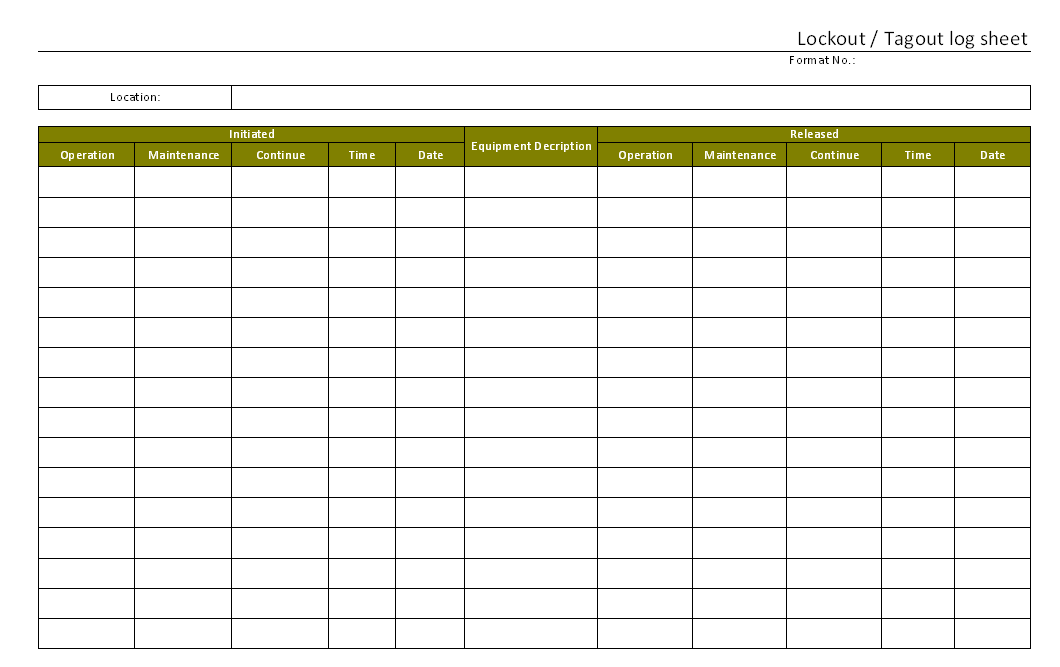
A group lockout tagout form isn’t optional—it’s the foundation of organized energy control during multi-person maintenance. Think of it as a living checklist that documents:
- Who applied locks and tags
- Which energy sources were isolated
- The timeline of lock application and removal
- Verification of zero energy state
In high-risk environments like manufacturing plants, refineries, or power stations, skipping this step invites disaster. Consider a real-world case: a maintenance team working on a conveyor system. One technician finishes early and removes their lock, assuming the job is done. But two others are still inside the guarded zone. Without a central form tracking each person’s status, the system could be re-energized—leading to crushing injuries.
The form eliminates ambiguity. It turns individual accountability into collective safety.
Anatomy of an Effective Group LOTO Form
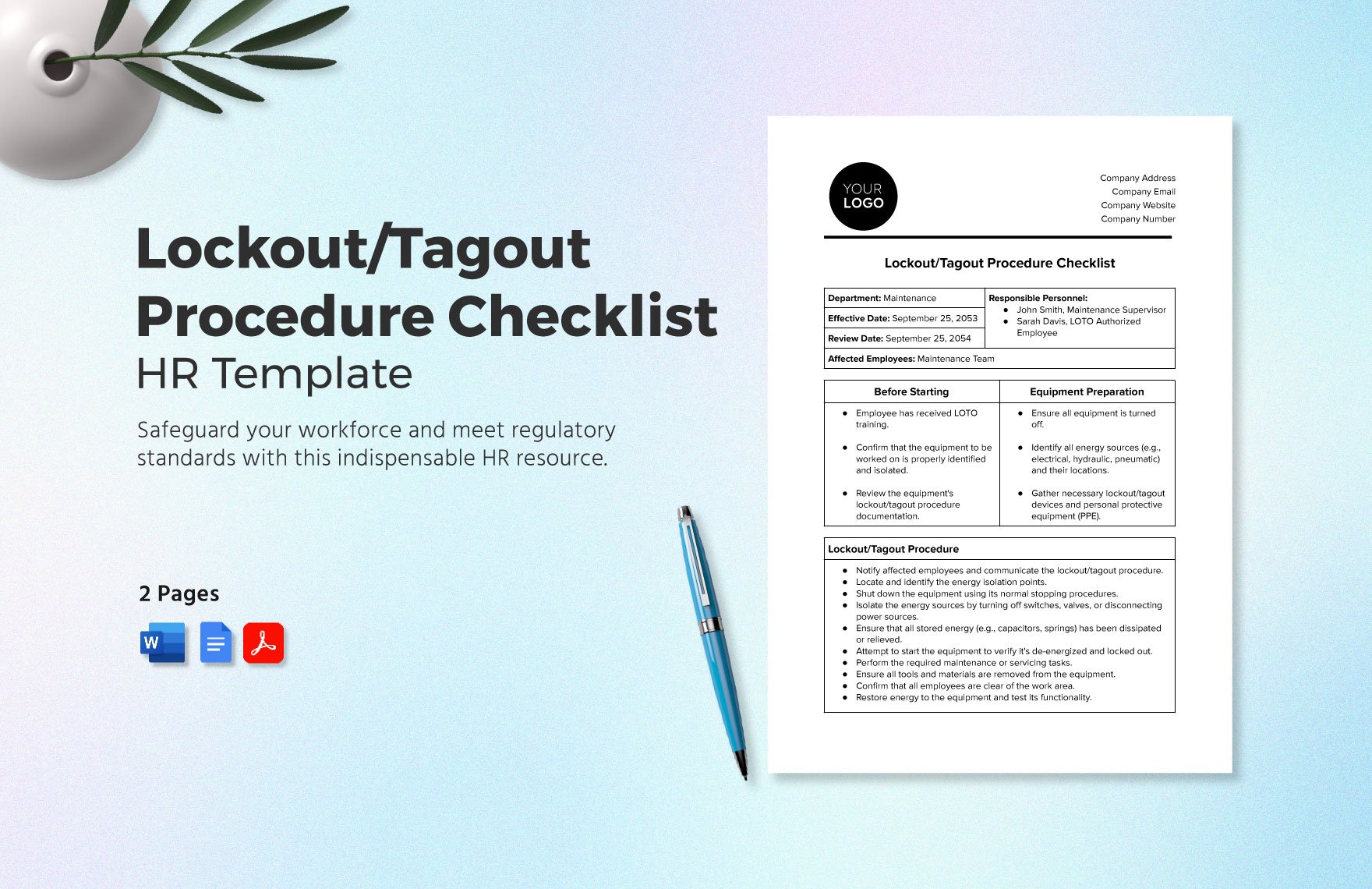
A well-designed group lockout tagout form isn’t cluttered or vague. It’s structured, legible, and actionable. Here’s what must be included:
1. Equipment Identification
- Machine name, ID number, location
- Description of work to be performed
2. Primary Lockout Device
- Assigned to the authorized coordinator (often the lead technician)
- Attached to the main energy isolating device
3. Individual Worker Section
- Names, employee IDs, departments
- Lock numbers, tag numbers, application time
- Signature fields for verification
4. Energy Source Breakdown
- List of all energy types (electrical, mechanical, chemical, etc.)
- Method of isolation (valve closed, breaker off, bleed line, etc.)
5. Verification of Zero Energy
- Space for documented testing (voltage checks, pressure readings)
- Sign-off by verifier
6. Clearance and Re-energization
- Final inspection checklist
- Signatures confirming all personnel are clear
- Coordinator’s authorization to remove locks
7. Emergency Override Protocol
- Conditions under which bypass is allowed
- Required approvals and documentation
A poorly designed form leaves gaps. A good one anticipates mistakes and prevents them.
Common Mistakes That Undermine Group LOTO Safety
Even with a form, missteps happen. These are the most frequent—and most dangerous—errors:
Using a Personal LOTO Form for Group Work Many teams repurpose individual lockout tags for group jobs. This fails when more than one person is involved. Individual forms don’t track multiple locks or provide a central reference. Always use a dedicated group LOTO form.
Skipping the Coordinator Role A group LOTO process requires a designated coordinator—the only person authorized to remove the primary lock. Without this role, the chain of control dissolves. Everyone assumes someone else is in charge. No one actually is.

Failing to Verify Isolation Signing a form doesn’t prove energy is gone. Technicians must test for zero energy using calibrated tools. A form that lacks a verification field encourages complacency.
Incomplete Documentation Leaving blanks—missing names, vague work descriptions, unlabeled locks—is a legal and safety liability. If an incident occurs, incomplete forms weaken your OSHA defense.
Not Training on the Form A form only works if everyone understands it. Yet many companies distribute LOTO forms without hands-on training. Workers guess their roles. Errors multiply.
Avoid these pitfalls by treating the form as a dynamic tool, not a static document.
Real-World Use Cases: Where Group LOTO Forms Save Lives
Case 1: Chemical Plant Reactor Maintenance A reactor vessel required internal inspection. Four technicians entered confined space zones. The group LOTO form listed: - Main electrical disconnect - Nitrogen purge line isolation - Steam jacket isolation
Each technician applied a lock. The coordinator used the form to confirm all eight isolation points were secured and tested. The form was posted at the lockbox. Only after all four signed off on completion was re-energization approved.
Without the form, one valve might have been overlooked—risking chemical release or thermal burn.
Case 2: Automotive Assembly Line Shutdown During a quarterly overhaul, six teams worked on different stations of a robotic line. A master group LOTO form was created, with sub-teams using secondary lockout boxes. Each team lead signed the central form. The coordinator cross-checked lock counts daily. When a team finished early, their locks were removed—but the form remained active until all teams cleared.
This prevented accidental restarts during phased maintenance.
Case 3: Power Generation Turbine Repair A turbine required rotor replacement. High-pressure steam and electrical isolation were critical. The form included infrared thermal checks and trapped energy release logs. The verification section required two sign-offs: one from the lead mechanic, one from safety officer.
The detailed form stood up to OSHA audit scrutiny after a near-miss report.
These cases show that the form isn’t bureaucratic—it’s operational armor.
Digital vs. Paper: Choosing the Right Format
Many companies still use paper-based group LOTO forms. They’re simple, don’t require tech, and are easy to post. But they come with drawbacks: - Prone to damage, loss, or illegible handwriting - Hard to archive and retrieve - No real-time visibility for supervisors
Digital group LOTO forms solve these issues. They can be: - Filled out on tablets or mobile devices - Synced to cloud storage - Integrated with work order systems - Equipped with timestamps and GPS verification
But going digital requires training, device availability, and cybersecurity considerations. Not every plant is ready.
For most mid-to-large operations, hybrid models work best: paper forms with digital backups or scanned copies uploaded to a central safety portal.
The key is consistency—not the medium.
Top 5 Templates and Tools for Group Lockout Tagout Forms
While you can build your own, using proven templates saves time and improves compliance. Here are five reliable options:
| Tool | Type | Key Features | Best For |
|---|---|---|---|
| Lockout Tagout Safety (lockouttagoutsafety.com) | Free PDF Template | OSHA-aligned, editable fields, multi-worker layout | Small to mid-sized shops |
| Creative Safety Supply | Printable Kit | Includes form, lockout board, tags, training guide | Facilities building LOTO programs |
| SafetySkills LOTO Module | Digital Platform | E-forms, tracking, integration with LMS | Companies using digital compliance systems |
| Brady LOTOStation | Hardware + Software | Centralized lockout station with digital logging | High-volume industrial sites |
| EHS Insight | EHS Software | Customizable digital LOTO workflows, audit trails | Enterprise safety teams |
Choose based on your scale, tech readiness, and regulatory needs. The best form is the one your team actually uses correctly.
Making Your Group LOTO Form OSHA-Proof
OSHA 29 CFR 1910.147 doesn’t mandate a specific form—but it does require documentation of the energy control program. Your group LOTO form must align with six key elements:
- Machine-specific procedures – The form should reference or include the relevant LOTO procedure.
- Authorized employee list – Only trained personnel can apply locks. The form must reflect that.
- Clear lockout sequence – Steps must follow a logical order: preparation, shutdown, isolation, application, verification.
- Tagout use with warning – If using tags instead of locks, the form must note the limitation and require additional safeguards.
- Periodic inspections – At least annually, a supervisor must audit a completed form and observe the process.
- Training records – While not on the form itself, training must be documented and available.
A form that meets these criteria holds up in audits and, more importantly, protects workers.
Final Step: Turn the Form into a Living Process
A group lockout tagout form isn’t complete when printed. It’s complete when used—correctly, consistently, and with discipline. Post it visibly. Review it during safety meetings. Audit it monthly. Update it when equipment changes.
Train new hires with it. Use near-misses to stress its importance. Make it part of your site’s safety DNA.
In the end, the form isn’t about compliance. It’s about ensuring every technician goes home unharmed. That’s not just policy. It’s responsibility.
Use the form. Verify every step. Never assume.
FAQ
What is the purpose of a group lockout tagout form? It documents and coordinates lockout procedures when multiple workers service the same equipment, ensuring all energy sources are isolated and no one is exposed to unexpected startup.
Who fills out the group LOTO form? The authorized coordinator (usually a lead technician) initiates and manages the form, with input and sign-offs from all involved personnel.
Can a group LOTO form be digital? Yes, digital forms are acceptable and often preferred for better tracking, storage, and integration with safety management systems.
Is a group LOTO form required by OSHA? OSHA doesn’t require a specific form, but it mandates documentation of the energy control process—your group LOTO form serves that purpose.
How long should completed forms be kept? At minimum, one year—especially if used during an incident investigation or OSHA audit. Some companies retain them for 3–5 years.
What happens if someone loses their lock or key? The coordinator must follow a documented override procedure, usually involving supervisor approval and proof that the worker is clear before lock removal.
Can temporary workers use the group LOTO form? Only if they are trained and authorized under the facility’s energy control program. Their names and locks must be included like any other technician.
FAQ
What should you look for in Group Lockout Tagout Form: Simplify Safety Compliance? Focus on relevance, practical value, and how well the solution matches real user intent.
Is Group Lockout Tagout Form: Simplify Safety Compliance suitable for beginners? That depends on the workflow, but a clear step-by-step approach usually makes it easier to start.
How do you compare options around Group Lockout Tagout Form: Simplify Safety Compliance? Compare features, trust signals, limitations, pricing, and ease of implementation.
What mistakes should you avoid? Avoid generic choices, weak validation, and decisions based only on marketing claims.
What is the next best step? Shortlist the most relevant options, validate them quickly, and refine from real-world results.